github became single truth for developer to manage develope and deploy without thinking much about infrastructure . also its reduce some of inner loop of devops pipleine . also we deploy application so easily but there will be some kind of misconfiguration that can leak your data or secret can be exposed & effect on your business value ! its good to have different stages or branches such as Dev, test, Production of your application and terrascan presync hook can give you capablilities to scan your gitops piplines.
1 . Install argocd via brew on OSX
brew tap argoproj/tap
brew install argoproj/tap/argocd
2. Install Minikube On Macos
curl -LO https://storage.googleapis.com/minikube/releases/latest/minikube-darwin-amd64
sudo install minikube-darwin-amd64 /usr/local/bin/minikube
3. Start Minikube
minikube start
output
 ~ minikube start
😄  minikube v1.21.0 on Darwin 11.4
✨  Automatically selected the hyperkit driver
💾  Downloading driver docker-machine-driver-hyperkit:
    > docker-machine-driver-hyper...: 65 B / 65 B [----------] 100.00% ? p/s 0s
    > docker-machine-driver-hyper...: 10.52 MiB / 10.52 MiB  100.00% 6.86 MiB p
🔑  The 'hyperkit' driver requires elevated permissions. The following commands will be executed:

    $ sudo chown root:wheel /Users/sangam/.minikube/bin/docker-machine-driver-hyperkit
    $ sudo chmod u+s /Users/sangam/.minikube/bin/docker-machine-driver-hyperkit


💿  Downloading VM boot image ...
    > minikube-v1.21.0.iso.sha256: 65 B / 65 B [-------------] 100.00% ? p/s 0s
    > minikube-v1.21.0.iso: 243.03 MiB / 243.03 MiB [ 100.00% 21.68 MiB p/s 11s
👍  Starting control plane node minikube in cluster minikube
💾  Downloading Kubernetes v1.20.7 preload ...
    > preloaded-images-k8s-v11-v1...: 492.20 MiB / 492.20 MiB  100.00% 17.23 Mi
🔥  Creating hyperkit VM (CPUs=2, Memory=4000MB, Disk=20000MB) ...
🐳  Preparing Kubernetes v1.20.7 on Docker 20.10.6 ...
    ▪ Generating certificates and keys ...
    ▪ Booting up control plane ...
    ▪ Configuring RBAC rules ...
🔎  Verifying Kubernetes components...
    ▪ Using image gcr.io/k8s-minikube/storage-provisioner:v5
🌟  Enabled addons: storage-provisioner, default-storageclass
🏄  Done! kubectl is now configured to use "minikube" cluster and "default" namespace by default
4 .verify minikube is running
➜  ~ kubectl get po -A
NAMESPACE     NAME                               READY   STATUS    RESTARTS   AGE
kube-system   coredns-74ff55c5b-pv5nl            1/1     Running   0          2m48s
kube-system   etcd-minikube                      1/1     Running   0          3m2s
kube-system   kube-apiserver-minikube            1/1     Running   0          3m2s
kube-system   kube-controller-manager-minikube   1/1     Running   0          3m2s
kube-system   kube-proxy-7vrs7                   1/1     Running   0          2m48s
kube-system   kube-scheduler-minikube            1/1     Running   0          3m2s
kube-system   storage-provisioner                1/1     Running   1          3m2s
5 .Minikube tunnel running in another terminal
~ kubectl create namespace argocd
namespace/argocd created
~ kubectl get ns
NAME              STATUS   AGE
argocd            Active   101s
default           Active   18m
kube-node-lease   Active   18m
kube-public       Active   18m
kube-system       Active   18m
6 . Apply Argocd Manifest
kubectl apply -n argocd -f https://raw.githubusercontent.com/argoproj/argo-cd/stable/manifests/install.yaml
customresourcedefinition.apiextensions.k8s.io/applications.argoproj.io created
customresourcedefinition.apiextensions.k8s.io/appprojects.argoproj.io created
serviceaccount/argocd-application-controller created
serviceaccount/argocd-dex-server created
serviceaccount/argocd-redis created
serviceaccount/argocd-server created
role.rbac.authorization.k8s.io/argocd-application-controller created
role.rbac.authorization.k8s.io/argocd-dex-server created
role.rbac.authorization.k8s.io/argocd-redis created
role.rbac.authorization.k8s.io/argocd-server created
clusterrole.rbac.authorization.k8s.io/argocd-application-controller created
clusterrole.rbac.authorization.k8s.io/argocd-server created
rolebinding.rbac.authorization.k8s.io/argocd-application-controller created
rolebinding.rbac.authorization.k8s.io/argocd-dex-server created
rolebinding.rbac.authorization.k8s.io/argocd-redis created
rolebinding.rbac.authorization.k8s.io/argocd-server created
clusterrolebinding.rbac.authorization.k8s.io/argocd-application-controller created
clusterrolebinding.rbac.authorization.k8s.io/argocd-server created
configmap/argocd-cm created
configmap/argocd-gpg-keys-cm created
configmap/argocd-rbac-cm created
configmap/argocd-ssh-known-hosts-cm created
configmap/argocd-tls-certs-cm created
secret/argocd-secret created
service/argocd-dex-server created
service/argocd-metrics created
service/argocd-redis created
service/argocd-repo-server created
service/argocd-server created
service/argocd-server-metrics created
deployment.apps/argocd-dex-server created
deployment.apps/argocd-redis created
deployment.apps/argocd-repo-server created
deployment.apps/argocd-server created
statefulset.apps/argocd-application-controller created
networkpolicy.networking.k8s.io/argocd-application-controller-network-policy created
networkpolicy.networking.k8s.io/argocd-dex-server-network-policy created
networkpolicy.networking.k8s.io/argocd-redis-network-policy created
networkpolicy.networking.k8s.io/argocd-repo-server-network-policy created
networkpolicy.networking.k8s.io/argocd-server-network-policy created
➜  ~
7 . check all pod are running under argocd namespace
➜  ~ kubectl -n argocd get pods -w
NAME                                  READY   STATUS    RESTARTS   AGE
argocd-application-controller-0       1/1     Running   0          89s
argocd-dex-server-76ff776f97-s8jj2    1/1     Running   0          90s
argocd-redis-747b678f89-nmtjn         1/1     Running   0          90s
argocd-repo-server-6fc4456c89-4qtzc   1/1     Running   0          90s
argocd-server-7d57bc994b-2pwb2        1/1     Running   0          89s
8 . copy password
kubectl -n argocd get secret argocd-initial-admin-secret -o jsonpath="{.data.password}" | base64 -d
CpLZekcmcDqMbmBr
9 .open localhost 8080
kubectl port-forward svc/argocd-server -n argocd 8080:443
Forwarding from 127.0.0.1:8080 -> 8080
Forwarding from [::1]:8080 -> 8080
Handling connection for 8080
Handling connection for 8080
Handling connection for 8080
Handling connection for 8080
Handling connection for 8080
Handling connection for 8080
Handling connection for 8080
Handling connection for 8080
Handling connection for 8080
Handling connection for 8080
Handling connection for 8080
Handling connection for 8080
Handling connection for 8080
Handling connection for 8080
Handling connection for 8080
Handling connection for 8080
Handling connection for 8080
Handling connection for 8080
Handling connection for 8080
Handling connection for 8080
9 .you have dasboard in browser
username = admin
10 . change argo password
argocd account update-password
*** Enter current password:
*** Enter new password:
*** Confirm new password:
Password updated
Context 'localhost:8080' updated
now we will add presyc hook to scan kubernetes misconfiguration using terrascan
demo:- https://github.com/sangam14/terrascan-argocd
11 .create presyc hook
apiVersion: batch/v1
kind: Job
metadata:
  generateName: terrascan-hook-
  annotations:
    argocd.argoproj.io/hook: PreSync
spec:
  ttlSecondsAfterFinished: 3600
  template:
    spec:
      containers:
      - name: terrascan-argocd-1
        image: tenable/terrascan:latest
        command: ["/bin/sh", "-c"]
        args:
        - >
           /go/bin/terrascan scan -r git -u https://github.com/sangam14/terrascan-argocd.git -i k8s -t k8s

      restartPolicy: Never
  backoffLimit: 1
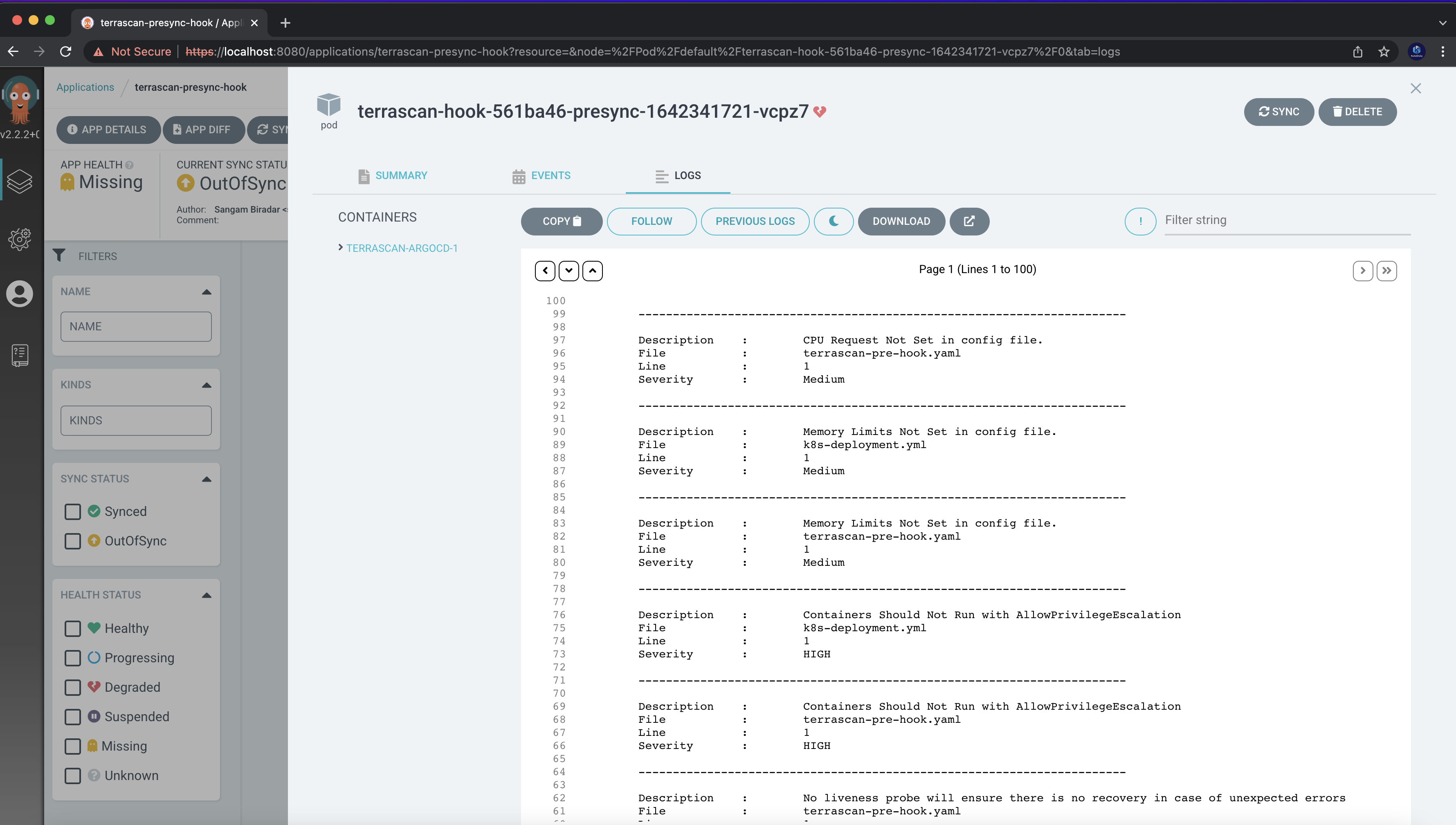
above manifest use argocd presync hool poll the terrascan docker image and in argument you can add whatever public github repo you want to scan and then define the what Iac type you want to scan and it will give violation report right in argocd dashboard . here we already setup argocd now we will see how dasboard and violation report look like !
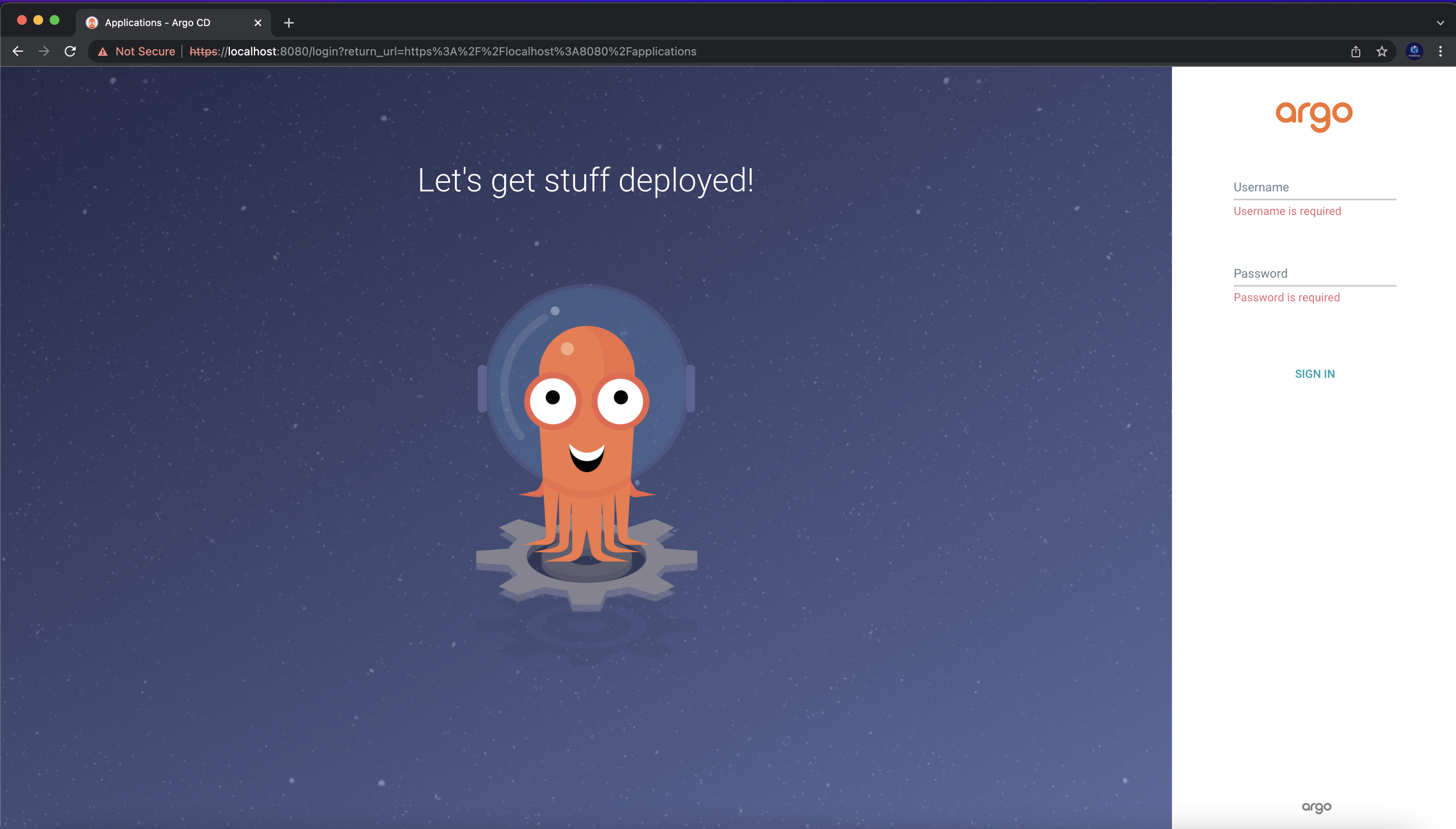
12 .open argocd dashboard in browser
using kubectl port-forward svc/argocd-server -n argocd 8080:443
get your password using kubectl -n argocd get secret argocd-initial-admin-secret -o jsonpath="{.data.password}" | base64 -d and default use default username admin i will be using minikube but you can setup other authentication as well !
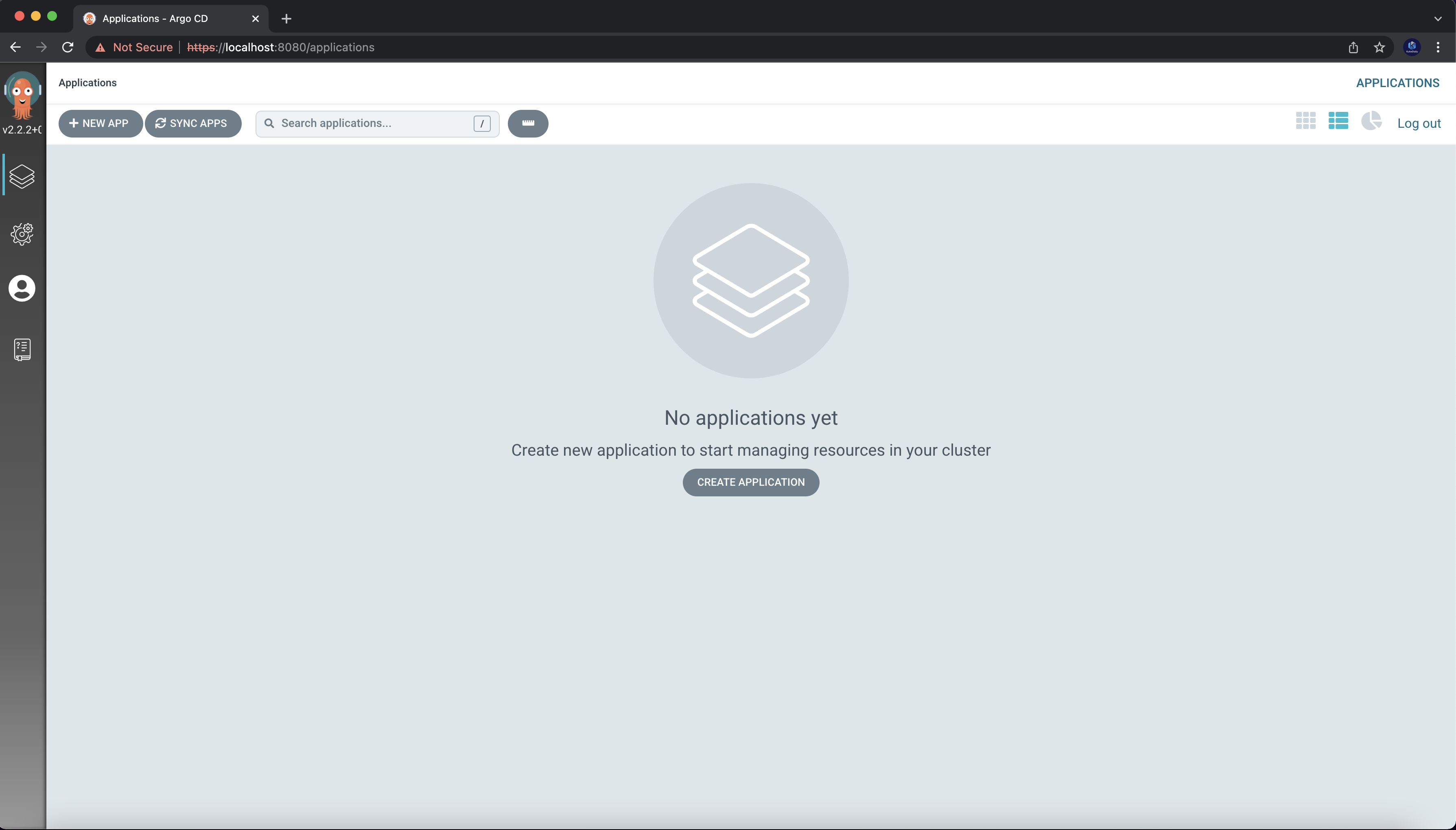
create new app
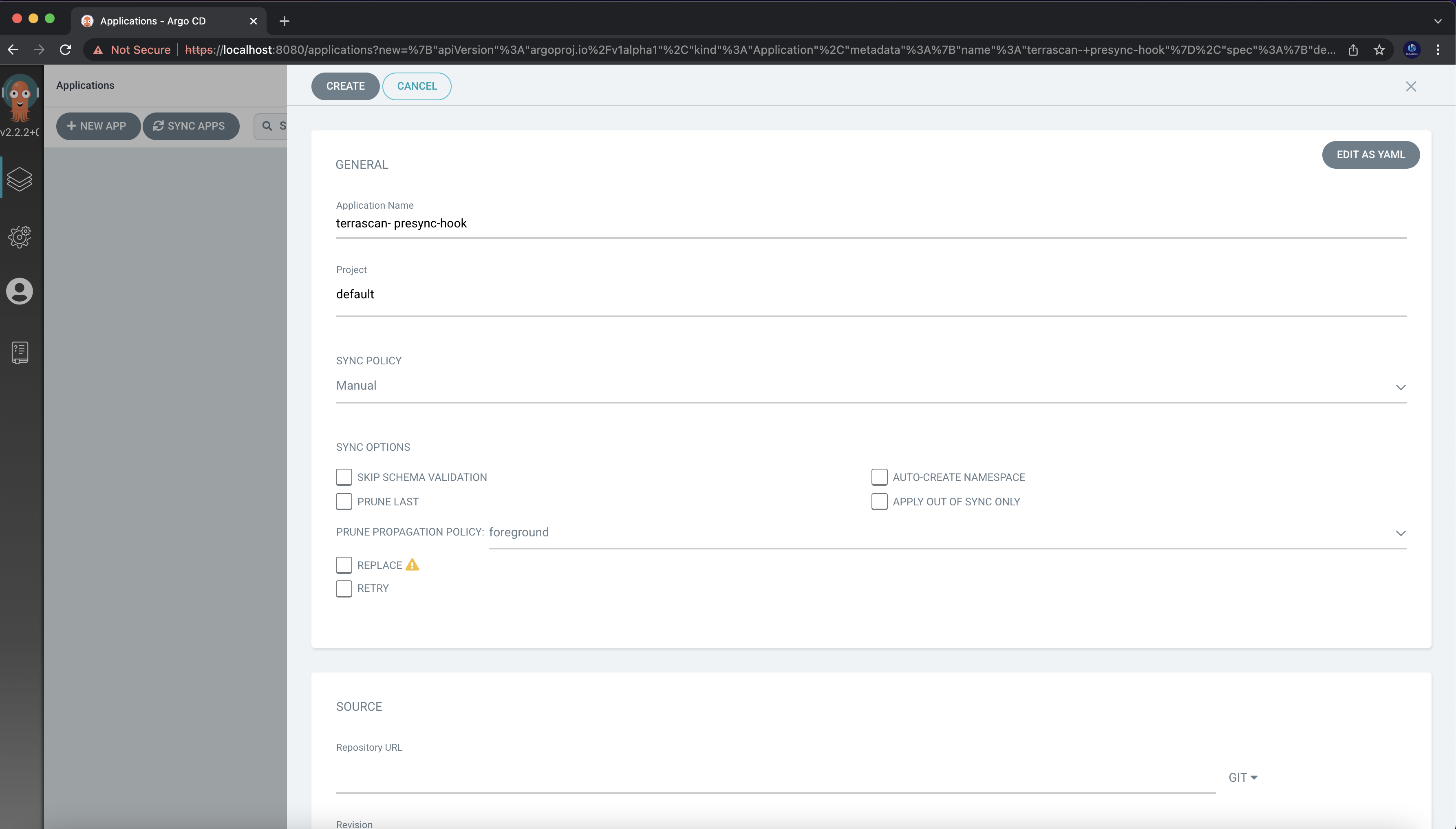
add git repo where your argocd presyc hook present
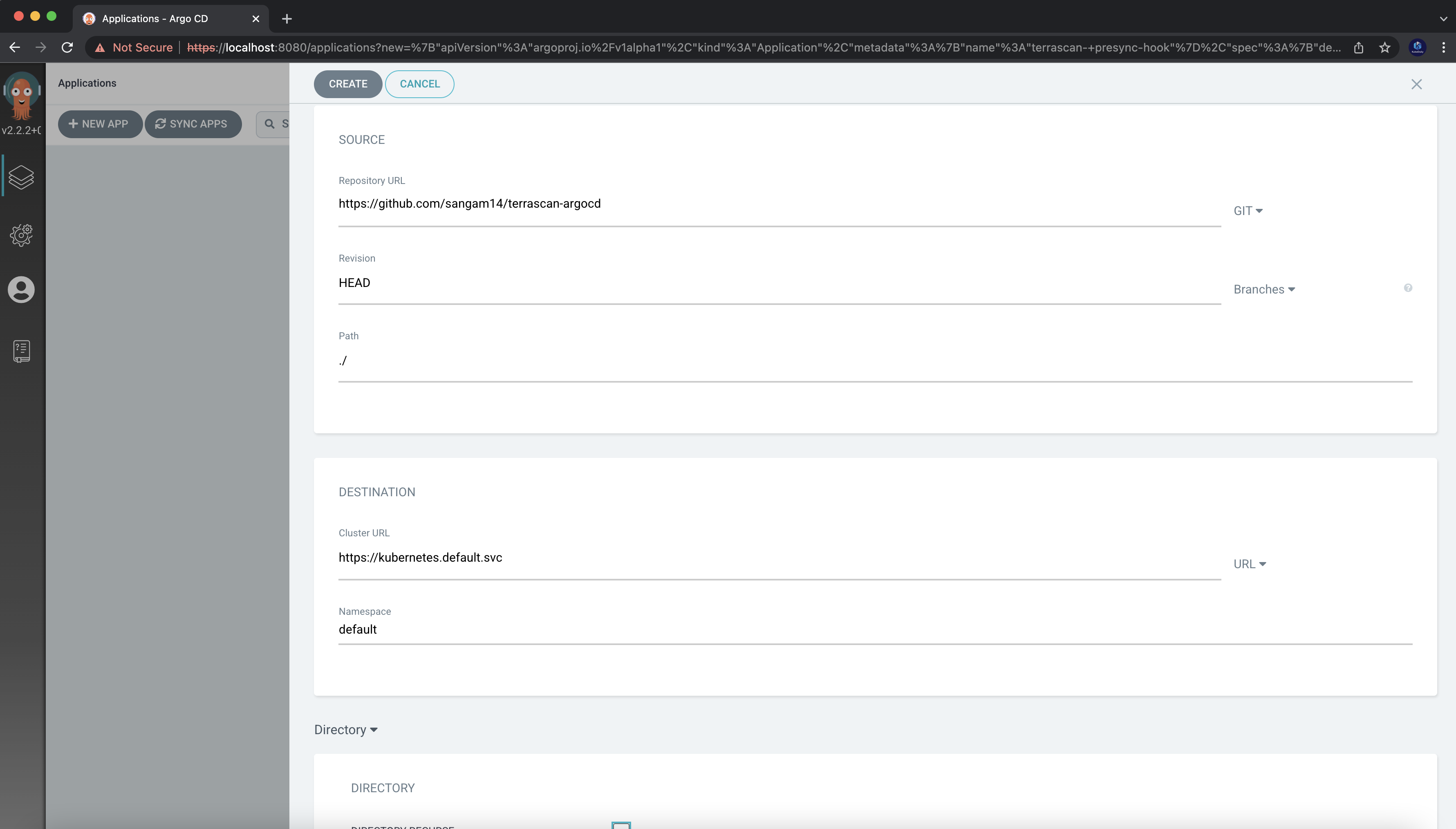
now snyc your git repo
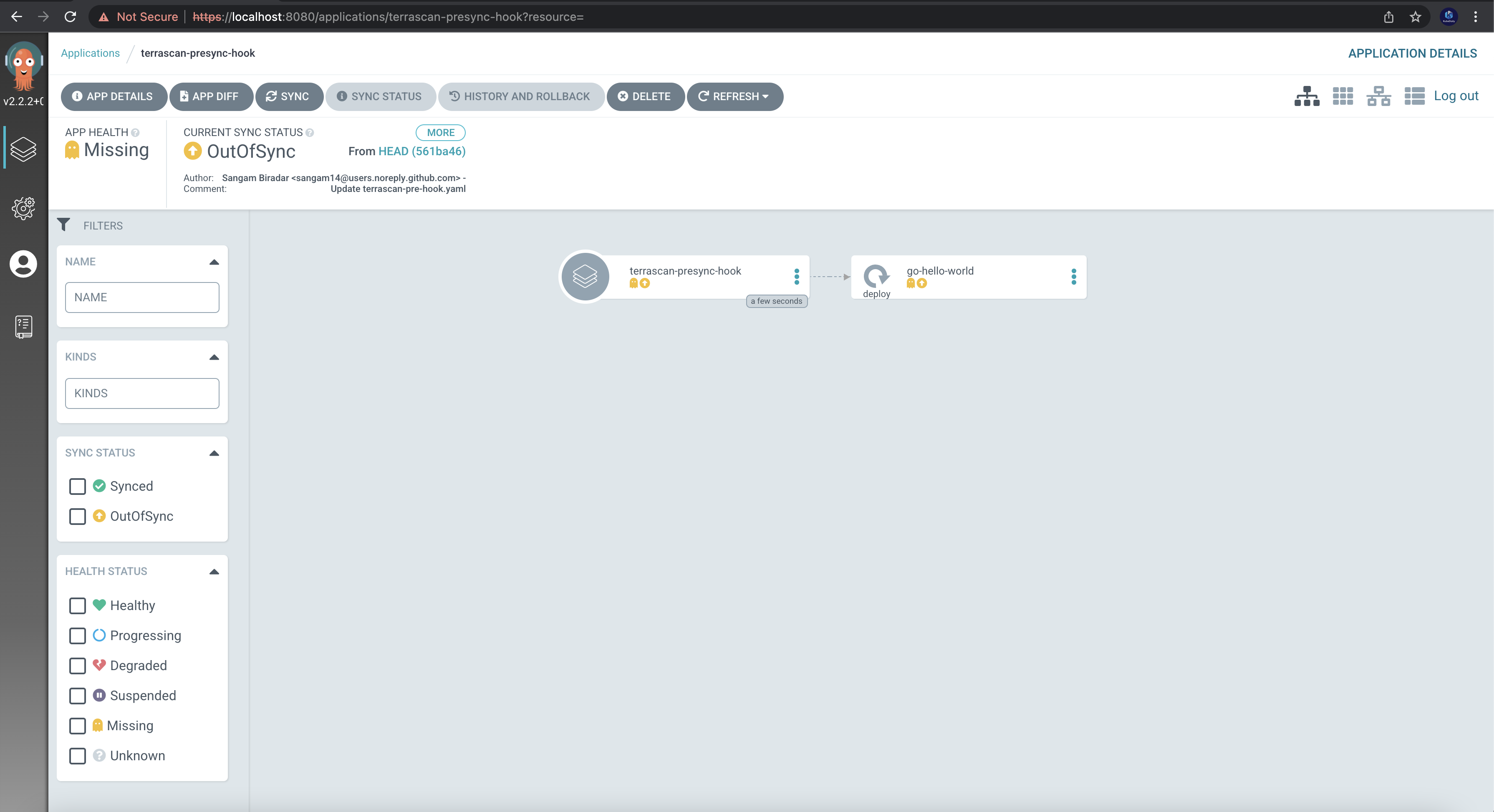
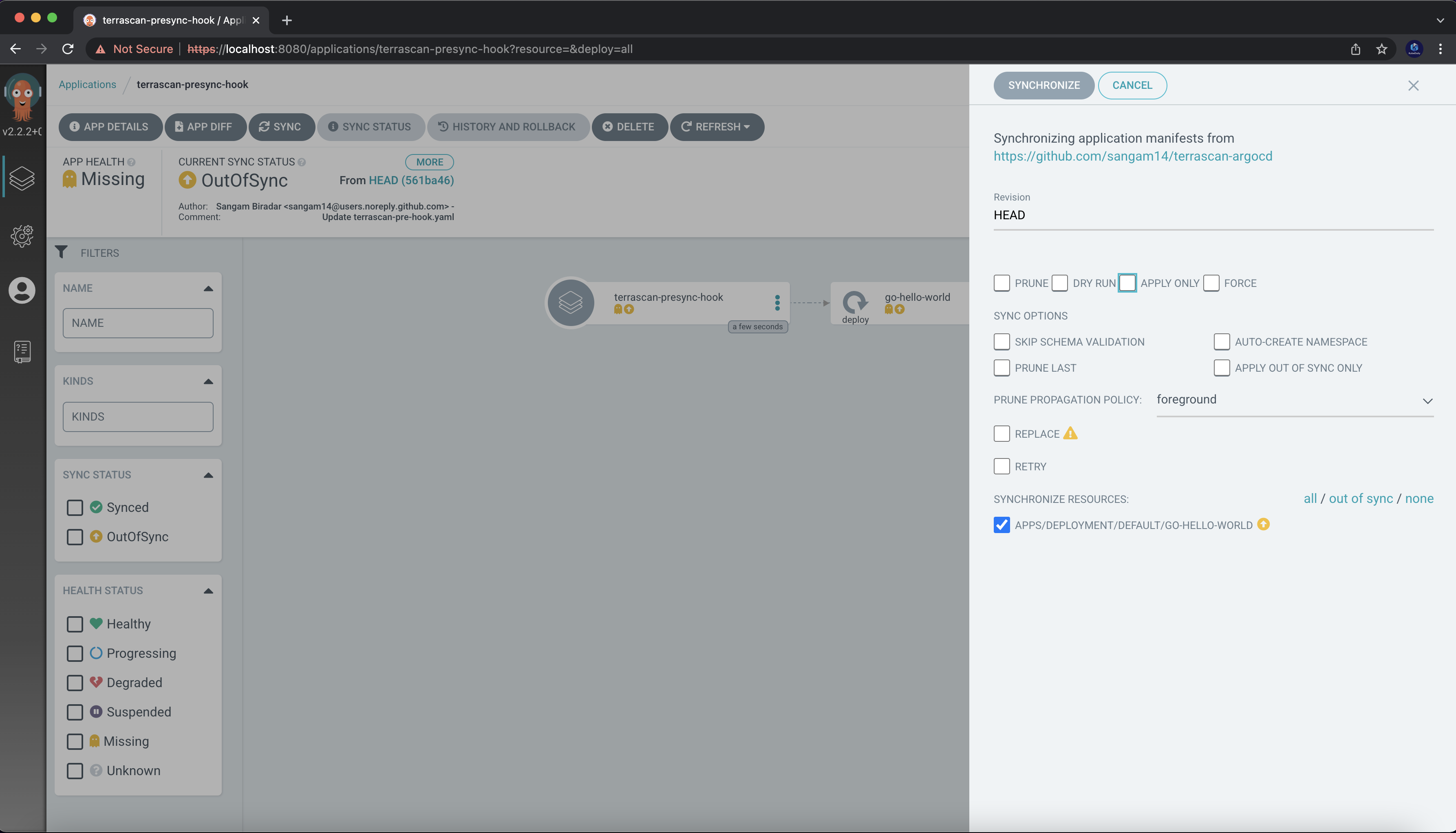
after synchronous the argocd will run the job and pull terrascan docker image and run as server depends on which Iac you have provided it will scan those misconfiguration and give violation report in logs
also you can setup notification to your slack or any other services you want !
About the author
- DevRel at StackGen | Formerly at Deepfence ,Tenable , Accurics | AWS Community Builder also Docker Community Award Winner at Dockercon2020 | CyberSecurity Innovator of Year 2023 award by Bsides Bangalore | Docker/HashiCorp Meetup Organiser Bangalore & Co-Author of Learn Lightweight Kubernetes with k3s (2019) , Packt Publication & also run Non Profit CloudNativeFolks / CloudSecCorner Community To Empower Free Education reach out me twitterhttps://twitter.com/sangamtwts or just follow on GitHub -> https://github.com/sangam14 for Valuable Resources
Comments
Join the discussionNo comments yet. Be the first to comment.